How to transfer content between environments
Last updated: March 20, 2026
Setup Content Transfer
You can transfer various types of content between your Live and Sandbox environments. This includes items, bundles, price templates, player attributes, and design elements.
Using the Transfer Button
For items and bundles, you can use the built-in transfer functionality:
Navigate to the Items or Bundles section in your dashboard
Select the items you want to transfer by checking the boxes next to them
Click the "Transfer" button that appears above the item list
Choose your destination environment (Live or Sandbox)
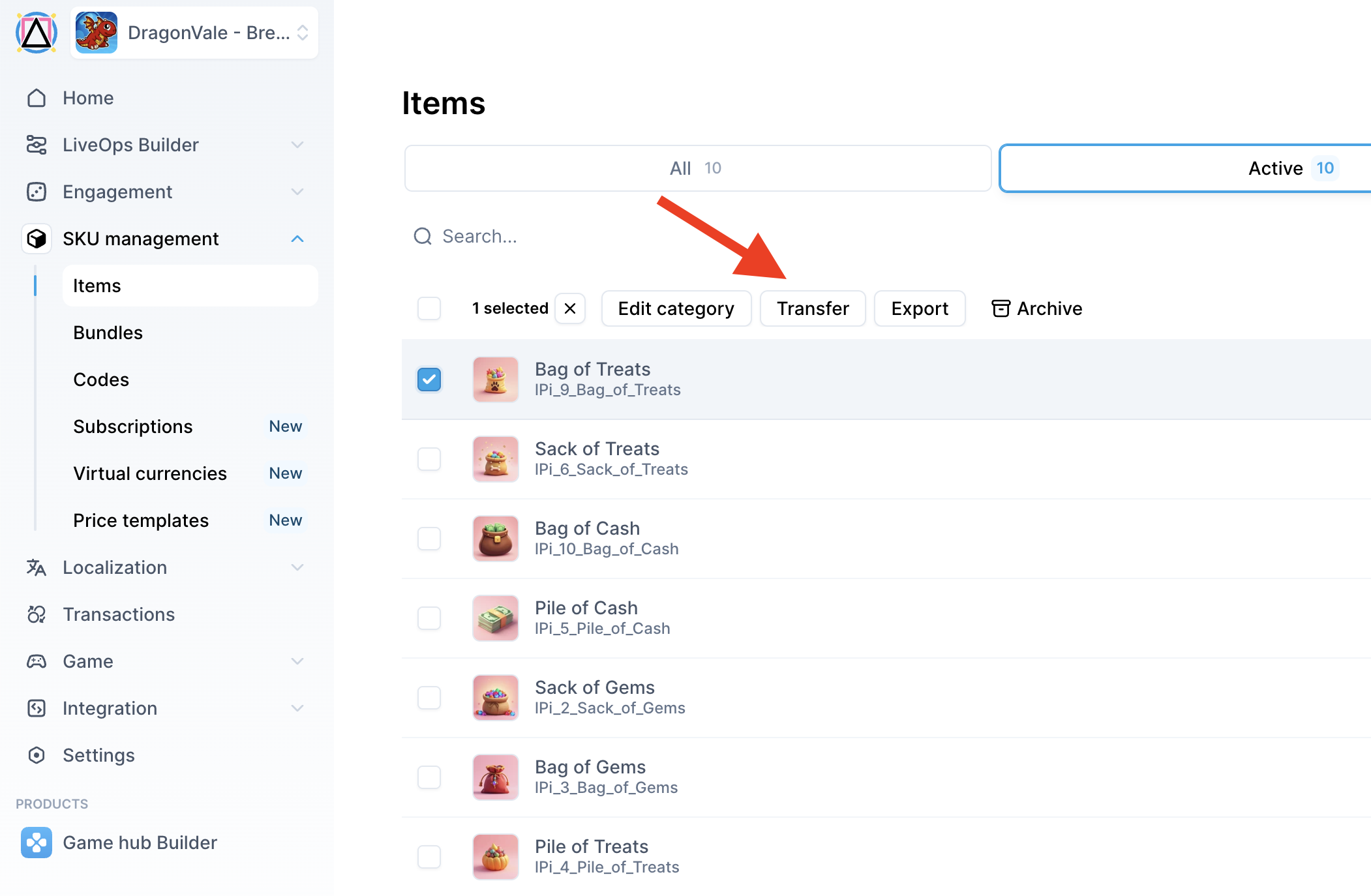
Note: If you don't see the Transfer button, this feature may not be fully rolled out to your account yet. In this case, contact the support team for assistance.
Requesting Manual Transfer
For complex transfers or when the transfer button is not available, you can request manual assistance from the support team. When making a request, provide:
Specific SKUs or item names you want to transfer
Source environment (Live or Sandbox)
Destination environment (Live or Sandbox)
Any additional settings that need to be copied (store placement, price templates, etc.)
Usage
Common Transfer Scenarios
Live to Sandbox: Copy your production setup to sandbox for testing new features or purchases without affecting live users.
Sandbox to Live: Move tested content from sandbox to production when you're ready to launch new items, bundles, or campaigns.
What Can Be Transferred
Items and their configurations
Bundles and bundle settings
Price templates
Player attributes
Store layouts and design elements
Banner configurations
Translations and localization content
Important Considerations
ID Changes: When content is transferred between environments, new IDs are automatically assigned. Existing IDs in the destination environment will not change.
Price Templates: You can assign unique names to price templates and use the API to retrieve them by name, making it easier to maintain consistency across environments.
Complete Environment Copies: For major updates, you can request a complete copy of one environment to another, which includes all items, settings, and configurations.